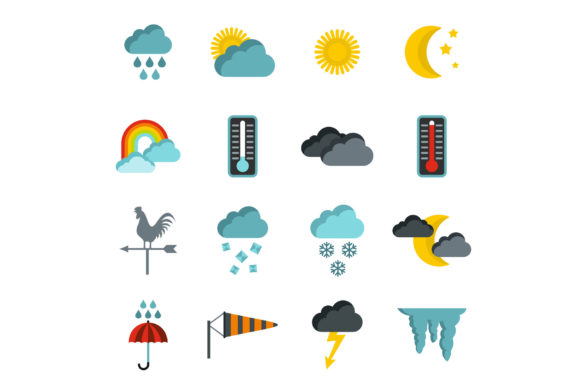
Enhancing Digital Interfaces with a Flat Style Weather Icons Set
In the rapidly evolving landscape of digital design, clarity and speed are paramount. Users expect interfaces that communicate information instantly without cognitive overload. This demand has propelled the Flat Style aesthetic to the forefront of user interface (UI) design, particularly when visualizing complex data like meteorological conditions. A high-quality Weather Icons Set serves as the universal language between an application and its user, translating raw data into intuitive visual cues. Whether for a mobile weather app, a travel booking site, or a smart home dashboard, the choice of iconography significantly impacts user experience.
The Evolution from Skeuomorphism to Flat Design
Historically, digital icons relied on skeuomorphism, a design style that mimics real-world textures and three-dimensional details. While visually rich, these icons often cluttered interfaces and slowed down loading times. The shift toward flat design marked a revolution in how we perceive digital elements. A Flat weather icons set strips away unnecessary gradients, shadows, and bevels, focusing instead on bold colors, simple geometry, and clear silhouettes.
This transition is not merely aesthetic; it is functional. By isolating basic weather elements in a vector illustration format, designers ensure that a sun, cloud, or raindrop is recognizable at any size. The removal of visual noise allows the core message—the current weather condition—to take center stage. For professionals building responsive layouts, this means icons that remain crisp on a 4K desktop monitor and equally legible on a small smartphone screen.
Technical Versatility and File Formats
The utility of a comprehensive icon library lies in its technical flexibility. Modern design workflows require assets that can be manipulated across various stages of production. A robust Weather Icons Set typically offers a diverse range of file formats, including JPG, EPS, AI, PSD, and PNG. Each format serves a specific purpose in the development lifecycle.
- AI and EPS: These vector formats are essential for scalability. Designers can resize a thunderstorm icon from a favicon to a billboard graphic without losing resolution. The mathematical paths defined in these files allow for infinite editing of shapes and colors.
- PSD: Layered Photoshop files provide granular control over effects and composition, enabling designers to integrate icons seamlessly into complex mockups with custom lighting or texture overlays.
- PNG: Ideal for web implementation, PNGs offer lossless compression and support for transparency, ensuring icons blend perfectly with any background color or pattern.
- JPG: While less common for individual icons due to lack of transparency support, JPGs are useful for preview galleries or documentation where file size is a critical constraint.
Having access to all these formats ensures that the asset suite is future-proof. As platforms evolve and new devices emerge, the ability to extract and convert assets without quality degradation is a significant advantage for long-term project maintenance.
Applications Across Industries
The relevance of a universal weather icons set extends far beyond dedicated meteorology apps. Various sectors leverage these visual tools to enhance context and usability.
Mobile and Web Development
For developers, consistency is key. Integrating a cohesive set of isolated vector illustrations ensures that a "partly cloudy" status looks identical across iOS, Android, and web platforms. This uniformity builds trust with the user. Furthermore, flat icons are lightweight, contributing to faster page load times—a critical factor for SEO and user retention.
E-Commerce and Travel
In the travel industry, weather data influences purchasing decisions. A hotel booking site displaying a sunny icon next to a destination can subtly encourage conversions. Similarly, e-commerce platforms selling seasonal gear can use weather indicators to recommend products dynamically, such as suggesting umbrellas during a forecasted storm.
Smart Home and IoT
As the Internet of Things (IoT) expands, smart displays in homes increasingly show local weather. A clean, flat style fits naturally into the minimalist aesthetic of modern smart home interfaces, providing at-a-glance information without dominating the screen real estate.
Design Characteristics of Effective Weather Icons
Creating or selecting a Flat Style set requires attention to specific design principles. The most effective sets prioritize immediate recognizability. A snowflake must be distinct from a star; a fog icon must differ clearly from a cloud.
Color psychology plays a vital role. Blues and grays typically denote cold or stormy conditions, while yellows and oranges evoke warmth and sunshine. However, in a flat design system, these colors must be balanced to maintain sufficient contrast against various backgrounds. Isolated vector illustrations allow designers to tweak these palettes to match brand guidelines strictly.
Another crucial characteristic is simplicity. Over-complicating a wind icon with too many lines can make it look like static noise at small sizes. The best sets reduce elements to their fundamental forms, using negative space effectively to define shapes. This approach ensures that the icons remain accessible to users with visual impairments, as high-contrast, simple shapes are easier to discern.
Workflow Integration for Creators
For educators, researchers, and hobbyists creating content, having a ready-to-use library streamlines the production process. Instead of drawing custom graphics for every presentation or blog post, creators can drag and drop professional-grade assets. This efficiency allows them to focus on the narrative rather than the visuals.
When working with AI or EPS files, the workflow often involves importing the vector set into software like Adobe Illustrator. Here, designers can ungroup elements to animate specific parts, such as making rain drops fall or clouds drift. This interactivity adds a layer of engagement to digital stories and educational materials. For those using raster-based tools, the PSD and PNG files allow for quick compositing, enabling the creation of complex infographics that explain climate patterns or seasonal changes.
Considerations for Implementation
While the benefits of flat design are numerous, implementation requires careful consideration. One common pitfall is the lack of depth, which can sometimes make interactive elements feel unclickable. To mitigate this, designers often add subtle hover states or micro-interactions when coding the UI, compensating for the static nature of flat graphics.
Additionally, cultural context matters. While a sun is universally understood, some specific weather phenomena might be represented differently across regions. A truly universal set considers these nuances, ensuring that symbols like hail or sleet are depicted in a way that aligns with global standards.
Accessibility remains a top priority. When embedding these icons into web pages, proper alt tags and ARIA labels must be used to ensure screen readers can describe the weather conditions to visually impaired users. The visual clarity of flat icons aids this process, but the semantic markup completes the inclusive experience.
The Future of Weather Visualization
As technology advances, the static nature of traditional icons is giving way to dynamic, data-driven visuals. However, the foundation of these advanced systems remains the basic element. The Weather Icons Set, Flat Style provides the building blocks for more sophisticated animations and augmented reality experiences. By mastering the basics of isolated vector illustration, designers are better equipped to innovate.
The trend toward minimalism shows no sign of slowing down. Users are inundated with information daily, and they crave interfaces that offer respite through simplicity. A well-crafted set of weather icons meets this need by delivering essential information with elegance and precision. Whether utilized by a business owner analyzing regional sales data against weather patterns or a student creating a science project, these tools bridge the gap between raw data and human understanding.
In conclusion, the selection of graphical assets is a strategic decision. Opting for a versatile, high-quality Flat weather icons set empowers creators to build faster, cleaner, and more effective digital experiences. The availability of multiple formats like JPG, EPS, AI, PSD, and PNG ensures that these assets can adapt to any technical requirement, making them an indispensable resource in the modern designer's toolkit.